US International Mail Forwarding | USA2Me
Nearly any address worldwide can be shipped by...

WhatsApp has become one of the most important communication channels for businesses. Customers use WhatsApp to ask questions, check product availability, request quotations, track orders, book appointments, and contact customer support.
For businesses, answering every message manually can take a significant amount of time. This is where a WhatsApp Agent can help.
A WhatsApp Agent can automatically respond to customer questions, provide business information, collect leads, search products, check order details, and transfer conversations to a human support representative when required.
The good news is that you can start developing a WhatsApp Agent using free and open-source development tools. However, a production WhatsApp automation system may involve costs related to WhatsApp services, hosting, AI APIs, databases, or third-party integrations.
In this complete guide, Amigoways explains how to build a WhatsApp Agent step by step, what technologies you need, how the architecture works, and how you can gradually turn a basic chatbot into a powerful business automation solution.
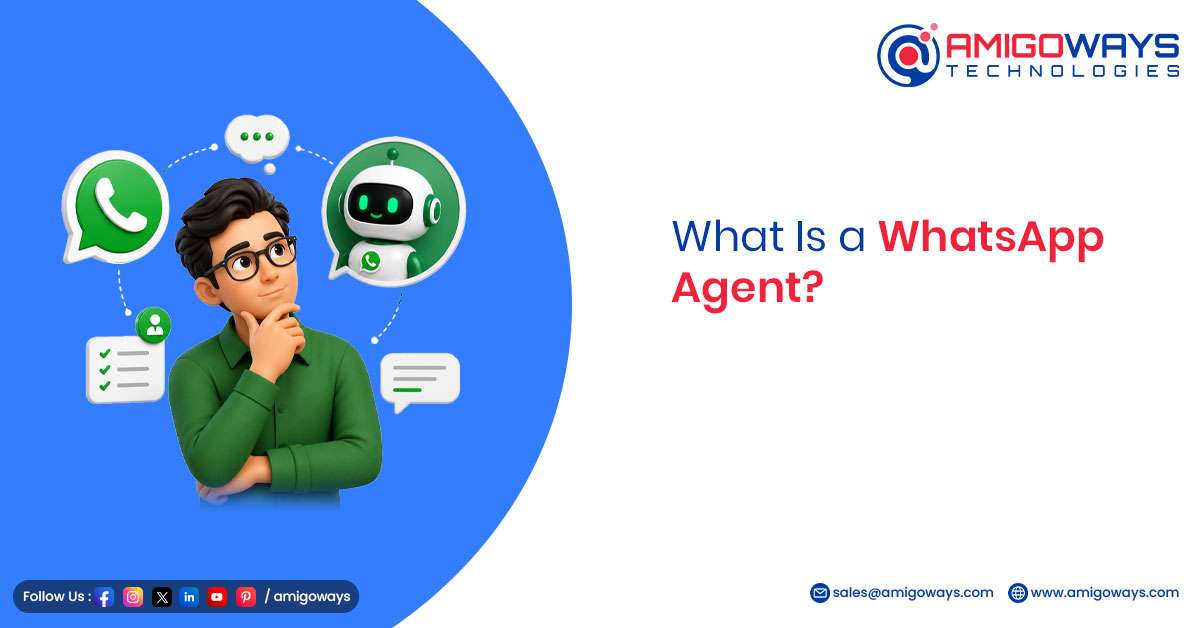
A WhatsApp Agent is a software application that communicates with customers through WhatsApp and automatically handles predefined or AI-powered conversations. A basic chatbot may only respond to specific keywords. A modern WhatsApp Agent can understand the customer’s intent and connect the conversation with business systems.
For example, a customer might ask:
“What are your business working hours?”
The agent can automatically provide the correct working hours.
A customer may also ask:
“Can you show me products under ₹5,000?”
The agent can understand the request, search the product database, and return matching products.
The customer sends a question or request through WhatsApp.
The WhatsApp API sends the message to your backend application through a webhook.
The backend processes the request using predefined rules, business data, or AI and sends the appropriate response back to the customer.
Depending on the business requirements, a WhatsApp Agent can handle:
Customers generally expect quick responses when contacting a business. A WhatsApp Agent can help businesses provide immediate responses without requiring employees to answer every repetitive question manually.
For example, an online store may receive questions such as:
Instead of manually answering the same questions repeatedly, businesses can automate common conversations.
The biggest benefit is that a properly designed WhatsApp Agent can work continuously and provide support outside normal business hours.
Before starting development, you need a few important components.
For advanced automation, businesses should use the official WhatsApp Business Platform/API rather than attempting to automate a personal WhatsApp account.
The backend processes incoming messages and decides what action should be performed.
Popular technologies include:
A database can store customers, conversations, products, FAQs, orders, leads, and other business information.
Popular database technologies include:
If you want the agent to understand natural-language questions, you can connect an AI model to your backend.
Before writing code, clearly define the purpose of the agent.
Do not begin by simply saying, “We need an AI chatbot.”
Instead, identify the actual business problems you want to solve.
A customer-support agent can answer:
A sales agent can:
An eCommerce WhatsApp Agent can:
Starting with a clearly defined purpose makes development easier and reduces unnecessary complexity.
Your WhatsApp Agent needs accurate information to provide useful answers.
Create a structured knowledge base containing your business information.
Include:
Include:
Include:
The quality of the knowledge base directly affects the quality of the chatbot’s responses.
The WhatsApp Business Platform provides the communication layer between WhatsApp and your software.
Your application needs to receive incoming WhatsApp messages and send responses.
The basic process is:
Customer → WhatsApp → API → Webhook → Backend → Agent Logic → WhatsApp → Customer
For example:
A webhook is an important part of the WhatsApp Agent architecture.
It allows WhatsApp to notify your application when an event occurs.
For example, your backend may have an endpoint such as:
https://yourdomain.com/api/whatsapp/webhookThe webhook can receive information such as:
After receiving the message, your application processes it and generates the appropriate response.
During development, first make sure that your webhook can successfully receive and process a WhatsApp message before adding advanced AI functionality.
You do not necessarily need AI from the beginning.
A rule-based chatbot can be a good first version.
For example:
Customer: Hi
Agent: Hello! Welcome to our business. How can we help you?
If the customer selects Products, the system can display product categories.
If the customer selects Order Status, the system can request the order number.
This approach is:
Once the basic chatbot is stable, AI capabilities can be added.
AI becomes useful when customers ask questions in different ways.
For example:
A keyword-based chatbot may treat these as separate questions.
An AI-powered agent can understand that these questions may represent the same intent.
The architecture can become:
WhatsApp → Webhook → Backend → AI → Business API/Database → Response → WhatsApp
The AI should not be treated as the source of truth for business-critical information.
Instead, the AI can understand the customer’s request while your backend retrieves verified information from your database or business API.
For example:
Customer: “Show me blue shirts below ₹2,000.”
The AI can identify:
The backend can then search the product database and return suitable products.
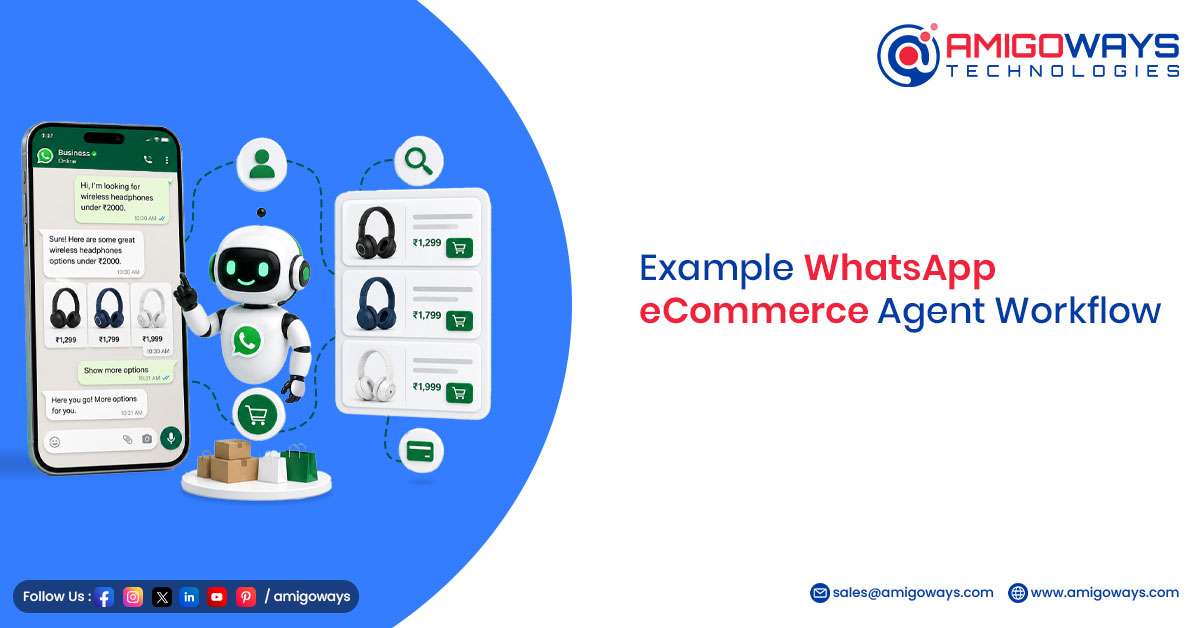
For an eCommerce business, connecting the WhatsApp Agent with the product database can significantly improve the customer experience.
Instead of manually adding every product to the AI prompt, the backend can retrieve current information from the database.
The workflow can be:
Customer Request → AI Intent Detection → Backend → Product Database → Matching Products → WhatsApp Response
The agent can display:
This approach also reduces the risk of providing outdated product information.
A WhatsApp Agent can also work as an automated lead-generation assistant.
For example:
Agent: What service are you interested in?
Customer: Website development.
Agent: Great. May I know your name?
The agent can collect:
The information can then be stored in your database or connected to a CRM system.
This allows the WhatsApp Agent to support both customer service and sales activities.
Automation should not mean removing humans from the customer-support process.
Some conversations require human assistance.
For example:
If a customer says:
“I want to speak with someone.”
The system should provide a clear human-support option.
The workflow can be:
Customer Request → Create Ticket → Notify Support Team → Assign Agent → Human Conversation
This creates a hybrid customer-support model where automation handles repetitive work while employees handle complex conversations.
Conversation history helps the agent understand the context of a customer’s current request.
For example:
Customer: Show me smartphones under ₹20,000.
Agent: Here are the available options.
Customer: Which one has the best battery?
The second question depends on the previous conversation.
Your application can store relevant conversation information such as:
Only collect and retain customer information that your business actually needs, and handle customer data responsibly.
Testing is one of the most important stages before launching your WhatsApp Agent.
You should also test technical failures such as API errors, database errors, invalid order numbers, and AI timeouts.
No AI system understands every message perfectly.
Therefore, your WhatsApp Agent should have fallback responses.
For example:
“I’m sorry, I couldn’t understand your request. Please select one of the options below or type ‘Agent’ to speak with our support team.”
A fallback system prevents the chatbot from generating irrelevant answers.
You can also use confidence-based routing. When the system is uncertain about a customer’s request, it can ask a clarification question or transfer the conversation to a human agent.
This is one of the most common questions. You can develop and test many parts of a WhatsApp Agent using free and open-source technologies.
For example:
However, free development does not necessarily mean completely free production deployment.
Depending on your setup, you may have costs related to:
Always verify the latest pricing and platform policies before deploying a commercial WhatsApp Agent.
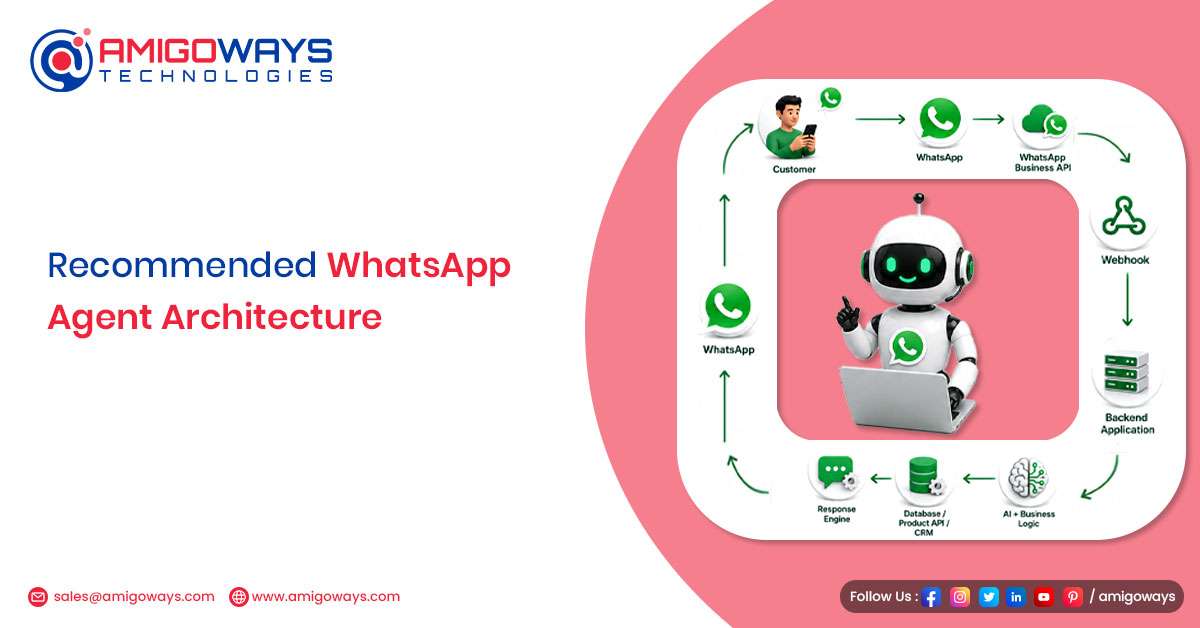
A simple architecture for a WhatsApp Agent can look like this:
This architecture can later be expanded with payment systems, eCommerce platforms, analytics dashboards, CRM tools, and human-support systems.
Imagine an online jewellery business.
A customer sends:
The agent identifies the request as a gold-rate enquiry. The backend retrieves the latest rate from the approved business data source and returns the information to the customer.
The customer then asks:
The AI understands the product requirements and searches the product database.
The system returns suitable products with information such as:
If the customer says:
The system can collect the lead and transfer the conversation to a human sales representative. This is where a WhatsApp Agent becomes much more powerful than a simple automated reply system.
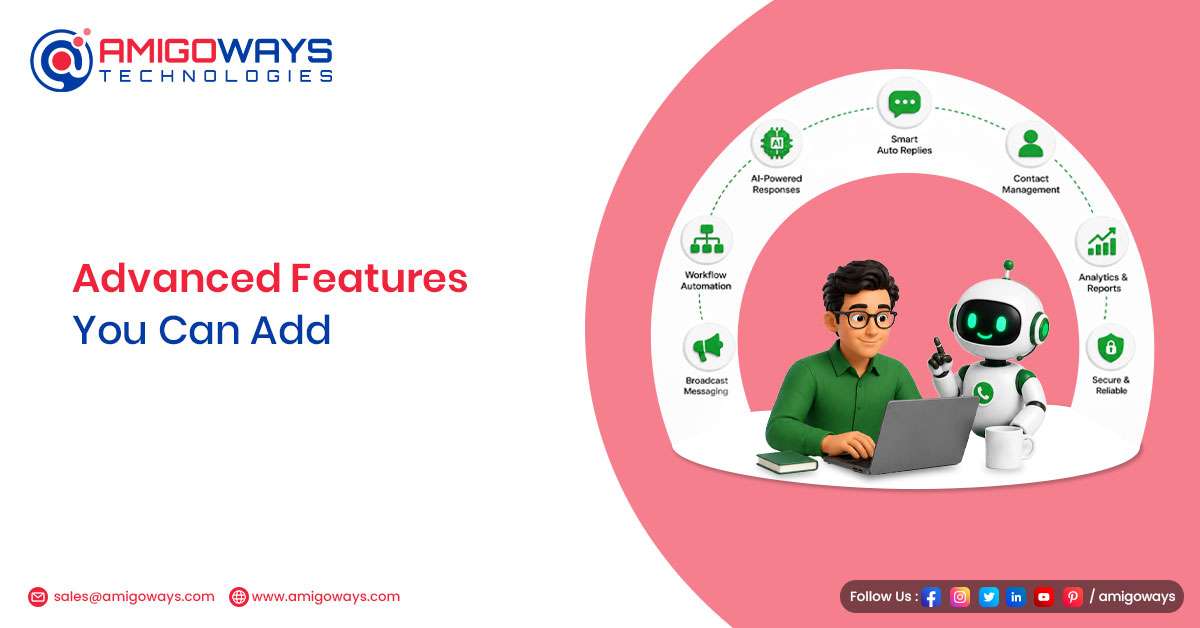
Automatically create and update customer records and leads.
Allow customers to search products, check availability, and receive product information.
Connect your order management system so customers can check order status through WhatsApp.
Allow customers to select available dates and request appointments.
A WhatsApp Agent can be designed to support multiple languages based on the target audience.
Track conversations, leads, frequently asked questions, human handovers, response times, and conversions.
Give administrators the ability to manage FAQs, products, customer conversations, knowledge-base information, and support assignments.
AI should solve a clearly defined business problem.
Do not allow the agent to invent prices, product availability, order information, or company policies.
Customers should always have an appropriate way to contact a human representative.
Use the official WhatsApp Business Platform and follow applicable WhatsApp business, messaging, template, and customer-consent requirements.
Always test the complete customer journey before launching the agent.
Building a professional WhatsApp Agent involves more than connecting an AI model to WhatsApp.
A reliable solution may include:
WhatsApp API + Backend + AI + Database + Business APIs + CRM/eCommerce + Human Support
Amigoways can help businesses plan and develop WhatsApp automation solutions according to their business requirements.
A custom WhatsApp Agent solution can include:
The final architecture depends on the business model, conversation volume, integrations, security requirements, and automation goals.
A WhatsApp Agent can become much more than a simple chatbot. When properly designed, it can work as a digital customer-support assistant, sales assistant, lead-generation system, product assistant, and business communication platform. The best approach is to start small. First, define the business problem. Then create your knowledge base, configure the official WhatsApp API, build the webhook, create basic conversation flows, connect your database, and introduce AI where it provides real value.
You can begin development with free and open-source technologies, but production systems may involve WhatsApp, hosting, AI, or third-party service costs.
The goal is not to make the chatbot answer every possible question. The goal is to make it answer the right questions accurately, retrieve verified business information, complete useful workflows, and know when a human should take over.
If you are planning to build a WhatsApp Agent for your business, start with a focused use case such as FAQs, lead collection, or product enquiries. Once the workflow is stable, you can gradually add AI, product search, order tracking, CRM integration, analytics, and other automation features.
Build smart. Automate what matters. Keep humans in control when they matter most. Amigoways – Helping businesses build smarter digital solutions with AI, automation, and modern technology.
Learn how to build a WhatsApp Agent for free with this step-by-step guide. Explore WhatsApp API, AI chatbot, automation, database, CRM and business integrations.
This article is originally Published by – https://www.amigoways.com/blog/how-to-build-whatsapp-agent-free-step-by-step-guide/

Nearly any address worldwide can be shipped by...
Qatar’s healthcare sector is witnessing...
A Data Science course provides students with the...
There are many situations in which a worker may...
Looking for CBSE NCERT Class 5 English printable...
الذكاء الاصطناعي هو مجال...
Blue Mountains Day Tours | Book an ultimate Blue...
For those interested in cultivating their own...
The global 'Intent-based Networking Market is...
Find the best explosion-proof camera available for the highest level of dependability and safety in dangerous situations. Make sure your security is strong with our cutting-edge tech solutions. Put your trust in our cameras for the best protection and peace of mind.






Please login to comment on this Post